
- Tap Measure from the left sidebar menu.
- Select the Weight module at the top of the resident list.
- Select a resident from the list.
- Enable the Wheelchair toggle above the weight input field.
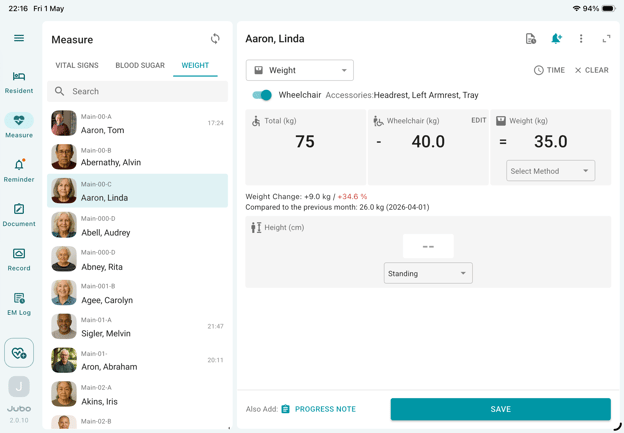
- To configure wheelchair weight and accessories:
- Tap the Wheelchair section.
- Select the applicable accessories and enter their weights.
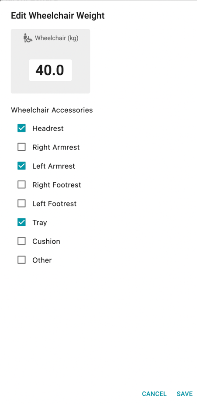
- Once configured, the wheelchair setup will be saved for future measurements for that resident. The system will automatically calculate the resident’s net weight using:
Total Weight – Wheelchair Weight = Weight