
- Tap Measure from the left sidebar menu.
- Select the Vital Sign module at the top of the resident list.
- Select a resident from the list.
- In the pain input section, select PAINAD from the dropdown menu.
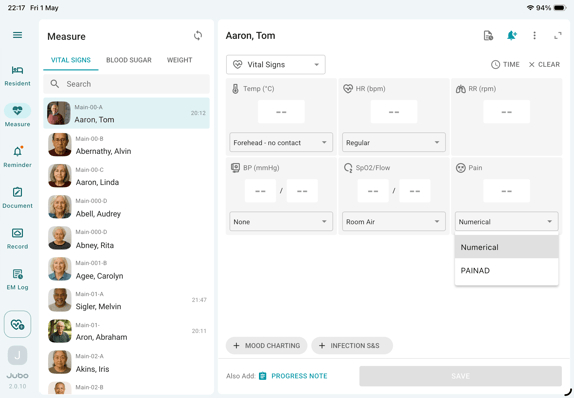
- Tap the pain input field to begin the assessment.
- Evaluate the residents across the following dimensions: Breathing, Negative Vocalization, Facial Expression, Body Language, and Consolability.
- Select the appropriate option for each dimension. The total score will be calculated automatically.
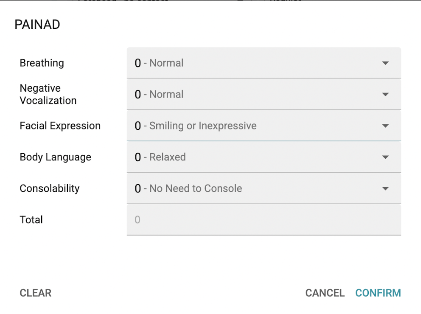
- Tap Confirm to complete the assessment. The total PAINAD score will appear in the pain input field.
- Record any additional vital signs as needed, then tap Save to complete the documentation.