I. Complete Reminder Tasks
- Tap Reminder from the left sidebar menu.
- Select tasks under the Timed, Daily, or Monthly tabs.
- Choose the relevant module:
- Vital Signs
- Blood Sugar
- Weight
- Assessments
A number of indications will appear next to each category to indicate overdue tasks.
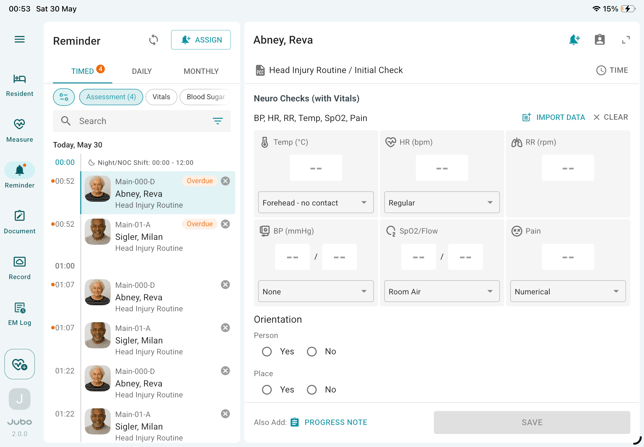
- Select a reminder task.
- Complete the required measurements or assessments.
- Tap Save to complete the documentation.
II. Search and Filter Reminder Tasks
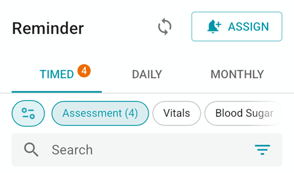
Use the tools at the top of the resident list to manage tasks.
|
|
Ttile |
Description |
|
|
Protocol Filter |
Filters tasks based on relevant protocols for the user’s role. The selected filter will persist after signing out and back in.
|
|
|
Search |
Search by resident name or room number.
|
|
|
Task Status Filter |
Filter tasks by All, Pending, Overdue, Skipped, or Completed. The selected filter will persist across sessions. |