-
Tap the hamburger menu icon (☰) or your profile icon on the left sidebar to expand the menu.
-
Tap the Issue Report button under the App Settings section from the menu.
-
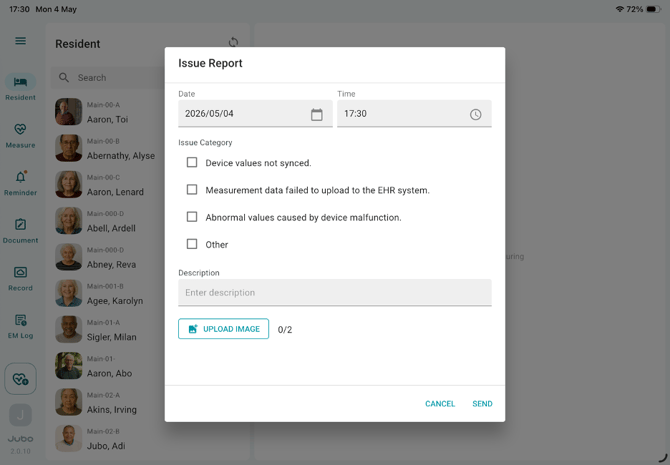
Provide details of the issues you encountered, including the Date, Time, Issue Category, and a clear Description. Attach iPad screenshots of any error screens when applicable.
-
Tap SEND to submit your report to the VitalLink development team for investigation. VitalLink support team will then follow up with your organization via email.