
-
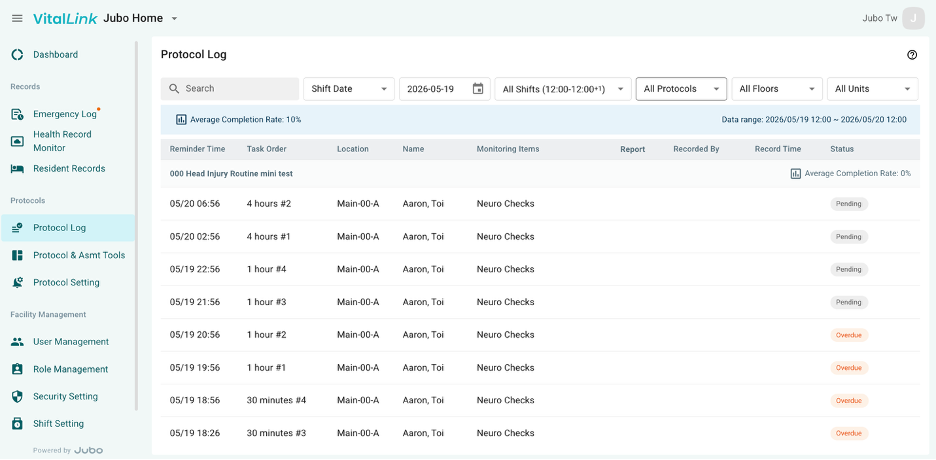
Click on Protocol Log in the left sidebar menu.
-
Review all protocol records for a specific shift, a selected day, or across multiple days. The log includes information on protocols that were assigned and deactivated, as well as the status of different reminders within a protocol, and the protocol completion rate.
-
Use the filters at the top of the screen to narrow down the information displayed. Available filters include:
- Display Time Window
- All Protocols – Filter by specific protocols.
- All Floors – Filter by floor.
- All Units – Filter by unit.
- All Statuses – Filter by reminder status, including Pending, Overdue, Skipped, Completed, and Assigned/Deactivated.