
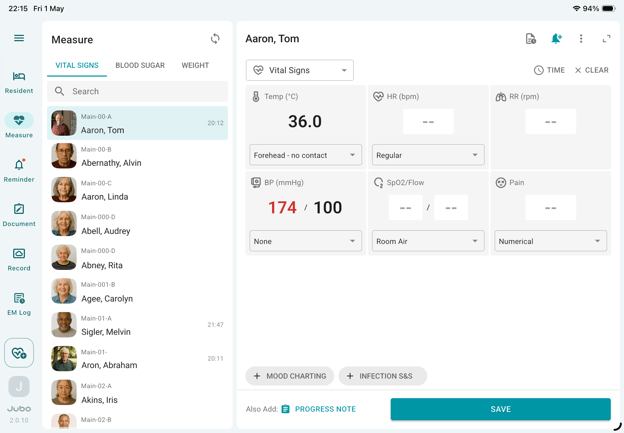
- Tap Measure from the left sidebar menu.
- Select the Vital Sign tab at the top of the resident list.
- Select a resident from the list.
- Tap + MOOD CHARTING at the bottom of the screen.
- In the dialog box, select the resident’s mood from the available options.
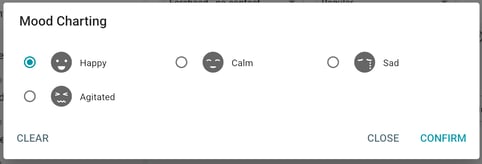
- Tap Confirm to close the dialogue.
- Record any additional data as needed, then tap Save to complete the documentation and upload the data.
Note
This feature does not integrate with PointClickCare modules. However, the documented data is available in the VitalLink Web Portal for review and in protocol summary reports (if Moods are included in the protocol setup).