
-
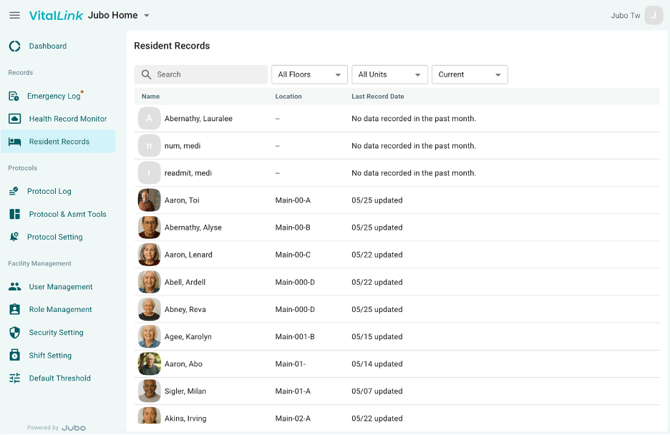
Click Resident Records from the left sidebar menu.
-
Search for residents using the search bar, or filter the list by Floor, Unit, or Resident Status.
-
Select a resident to review their records.
-
By default, records from the past 24 hours are displayed. Use the date range selector to view predefined periods or create a custom date range.
-
Select the Vital Signs, Blood Sugar, Weight, Assessment, or Progress Notes tab to review documentation.
-
Adjust the review period using the date range selector as needed.
-
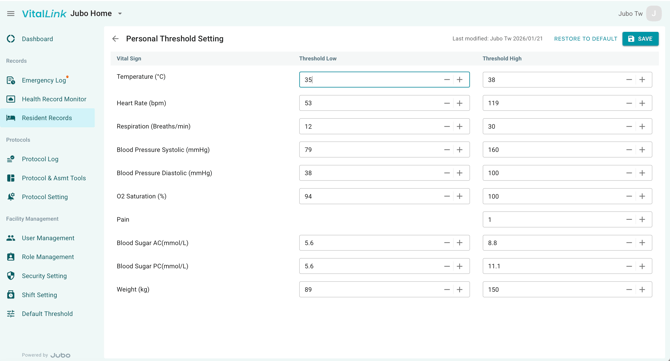
Click Threshold in the top-right corner to configure personalized thresholds for the selected resident.
-
Click Save to apply the changes.
-
To restore the facility’s default thresholds, click Restore to Default in the top-right corner.
-
Click Yes to confirm the reset.