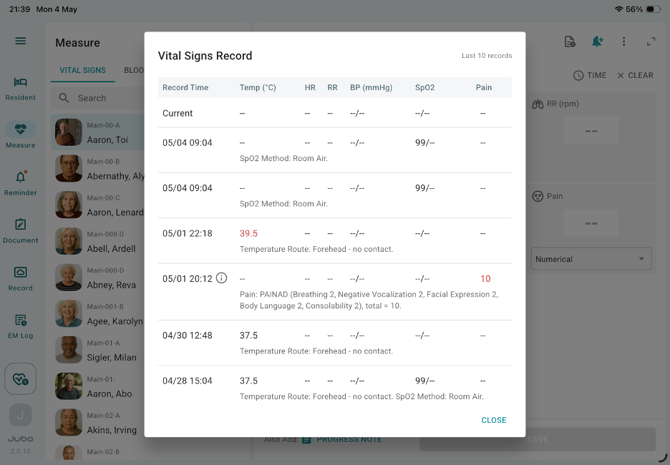
There are two ways to review a resident’s documentation history: through Resident in the menu, or by selecting the Documentation History icon from Measure in the menu.
- Resident: provides a comprehensive record across all modules.
- Documentation History in Measure: displays the most recent 10 entries per module (Vital Signs, Blood Sugar, Weight) to support quick reference during measurement.
I. Review data from the Resident menu
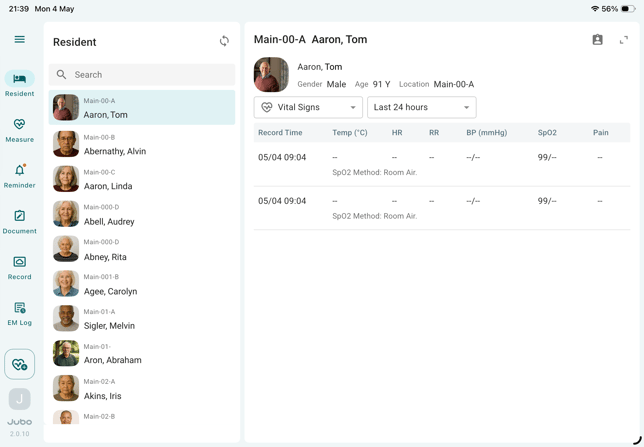
- Tap Resident in the left sidebar menu.
- Select a resident from the list.
- View documentation from the past 30 days. To access records older than 30 days, log in to VitalLink Web Portal.
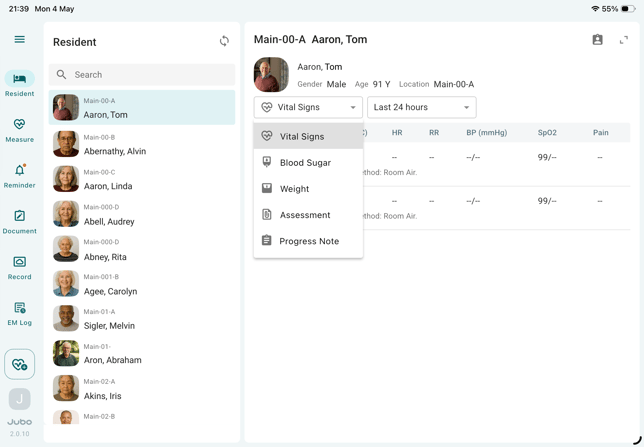
- Use the dropdown menu to switch between modules, including Vital Signs, Blood Sugar, Weight, Assessment, Progress Notes.
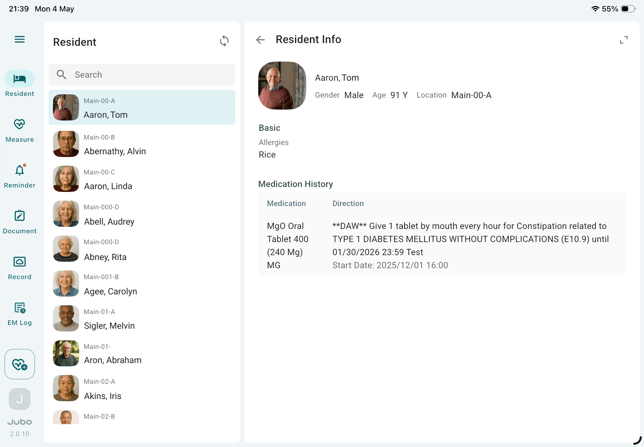
- Tap the resident’s profile icon in the top-right corner to view medical history synchronized from PointClickCare EHR, including Name, Location (floor/unit/bed in the facility), Allergies, and Medication History.
II. Review data from the Measure menu (during measurement)
- Tap Measure in the left sidebar menu.
- Select Vital Signs, Blood Sugar, or Weight tab on top of the resident list.
- Select a resident.
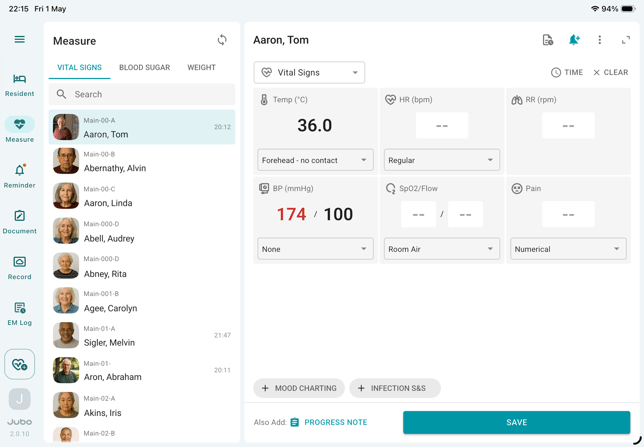
- Tap the History Record icon
 in the top-right corner to view up to the latest 10 recorded measurements of this resident.