
-
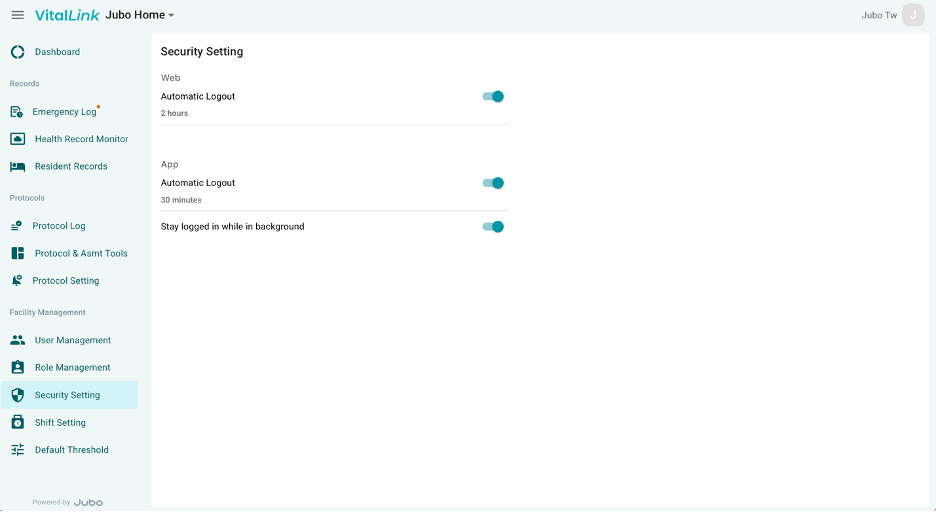
Click Security Settings from the left sidebar menu.
-
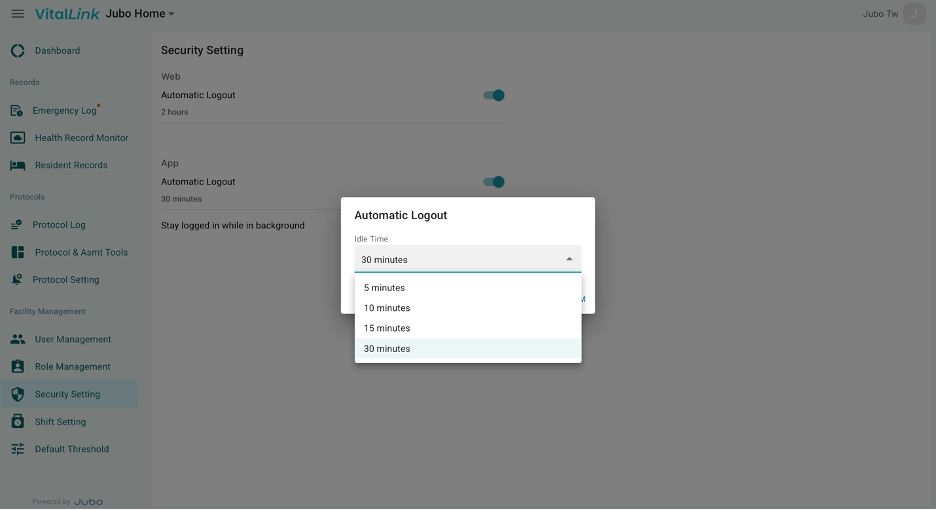
Configure automatic logout settings for the web portal and app by selecting the timeout duration field.
-
Choose a timeout duration from the dropdown menu. The selected setting will apply to all devices within the facility.
-
Toggle Stay Logged in While in Background on or off as needed. When enabled, users will remain signed in while the app/web runs in the background within the configured timeout period, reducing the need for repeated sign-ins.