
If you are using VitalLink through PointClickCare (PCC) user account, you do not need to create a user account to be able to use VitalLink. Once the users sign VitalLink with their PCC account, their user profiles will be automatically created with a PCC tag and can be found in User Management.
To create a Jubo VitalLink account, go to VitalLink Web Portal and sign in with the administrator account that you received from the Jubo support team.
-
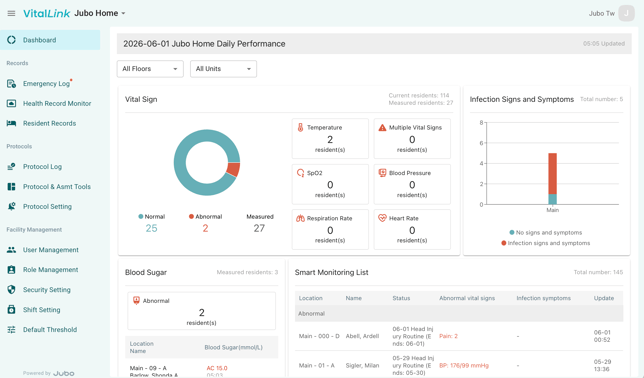
Click on User Management under Facility Management section in the left sidebar menu.
-
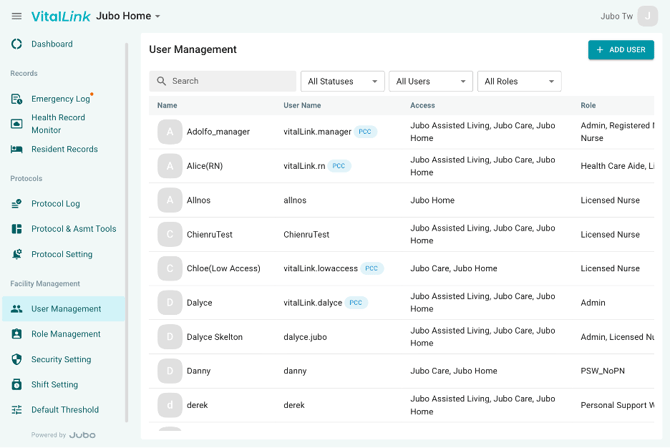
Click +ADD USER button on the top-right corner.
-
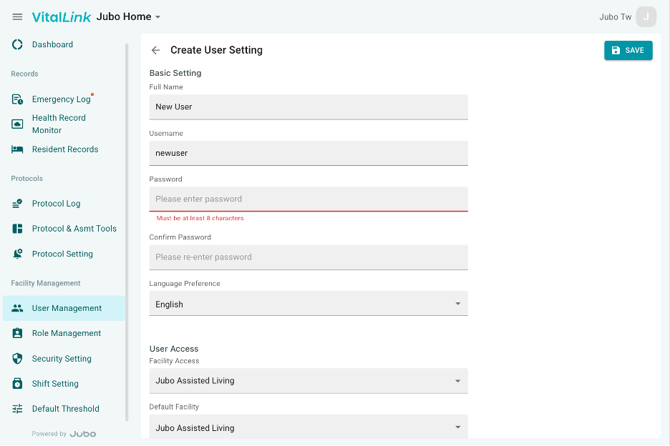
Update the username and set an initial password. Assign the facilities the user can access and select a default facility that will display upon login.
-
Click Save in the top-right corner to complete the account setup.
-
Once saved, the user will appear in the user list.