
-
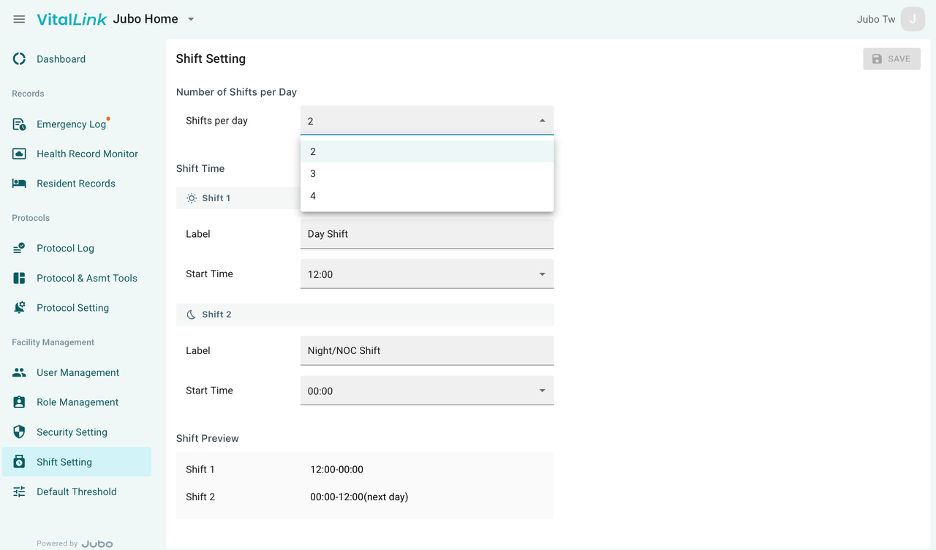
Click Shift Settings from the left sidebar menu.
-
Select the number of Shifts per day from the dropdown menu.
-
Name the shift in Label and set up the start time for each shift.
-
Click Save at the top-right corner to complete setting.
Note
Once shifts are configured, the settings will be applied to the Shift filter in the Protocol Log on the Web Portal and to the shift indicators in the Reminder section of the app.