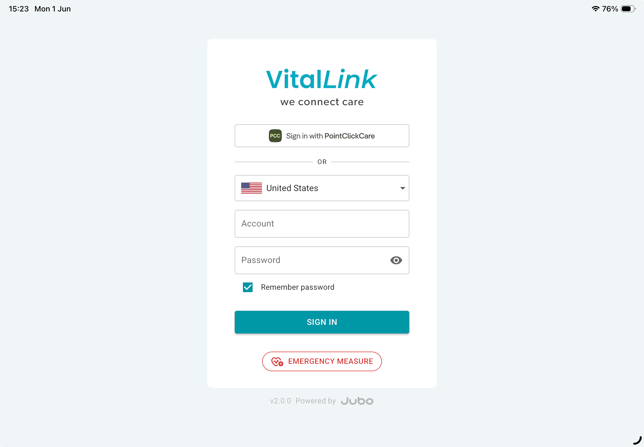
You can use the VitalLink app to document vital signs, complete assessments, and write progress notes based on your assigned user permissions.
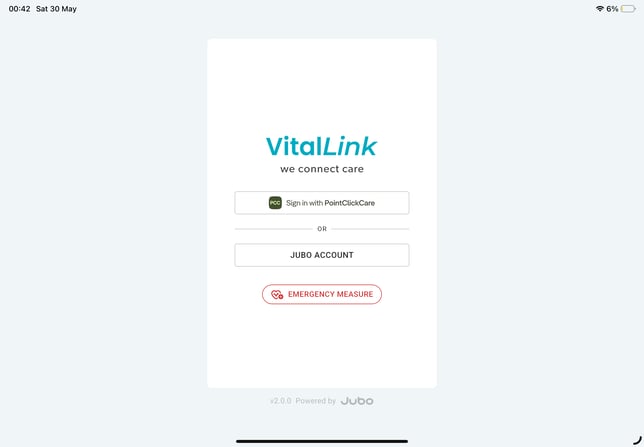
There are two ways to sign in to the VitalLink Web Portal:
- Sign in using your existing PointClickCare account, or
- Sign in using a Jubo account.
I. Sign in with a PointClickCare account
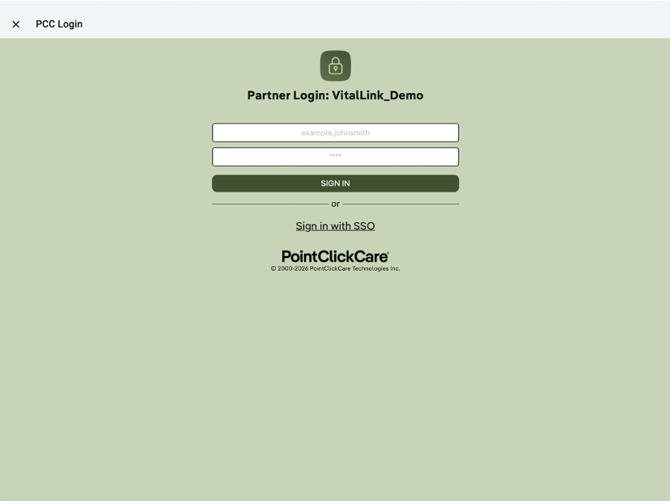
- On the main screen, tap Sign in with PointClickCare.
- You will be redirected to the PointClickCare sign-in page.
- Enter your PointClickCare username and password.
II. Sign in with a Jubo VitalLink account
- On the main screen, tap Jubo Account.
- You will be redirected to the Jubo sign-in page.
- Select your country (Canada or United States) from the drop-down menu.
- Enter your Jubo account credentials:
- Administrators: Use the username and password provided by the Jubo Support team.
- Users: Use the username and password provided by your Administrator through the VitalLink Web Portal.