
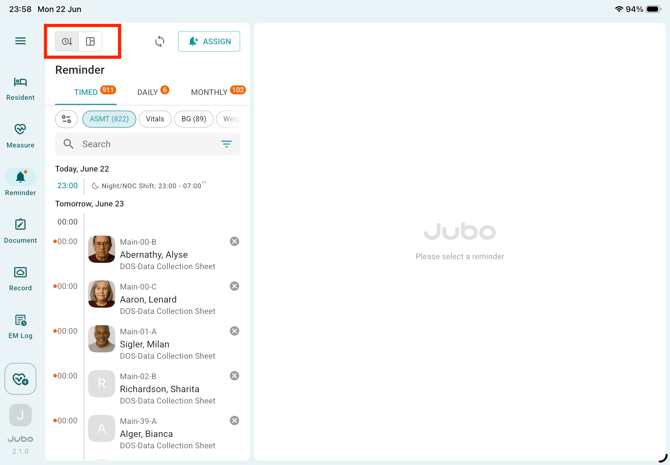
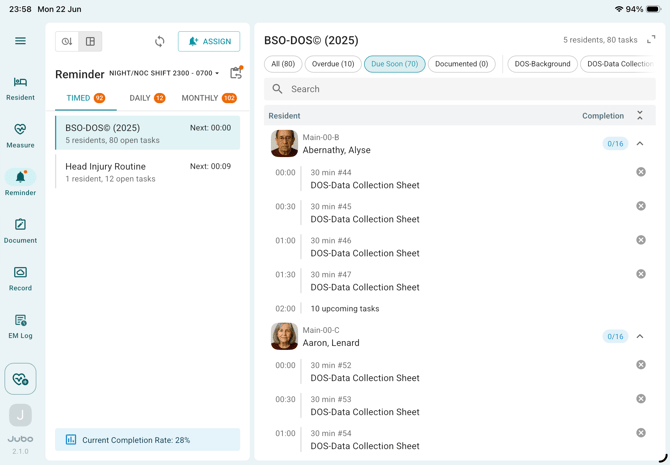
When protocols are assigned, the associated reminder tasks are automatically populated in the Reminder page. Two view modes are available to help users navigate and complete tasks.
-
Timeline-based View – Displays all protocol reminders in chronological order.
-
Protocol-based View – Groups reminders by protocol and organizes tasks based on the current shift or previous shifts.
The following sections describe the Protocol-based View.
I. Review Tasks in the Current Shift
-
Tap Reminder from the left sidebar menu.
-
Use the view switcher at the top-left corner on top of the resident to switch views between:
-
Timeline-based View
-
Protocol-based View
-
-
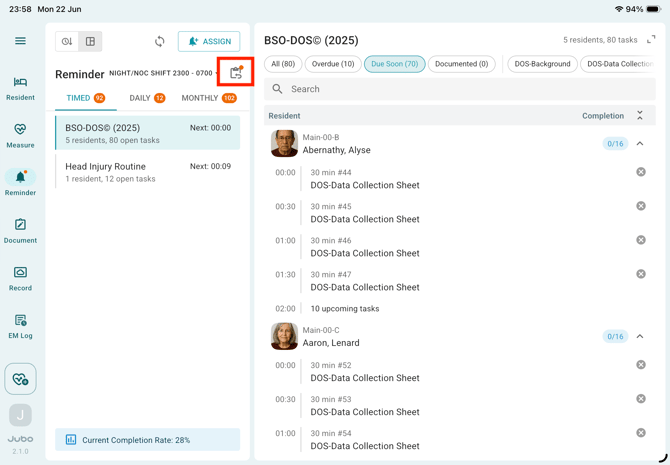
In Protocol-based View, reminders scheduled for the current shift are displayed by default.
-
Use the shift selector ▼ next to the shift name at the top of the left panel to preview tasks scheduled for upcoming shifts.
-
Review protocol-level information under the protocol titles, including number of assigned residents, total tasks within this shift, next scheduled task time; and check completion progress information below for timed tasks within the current shift.
- In the detailed reminder lists at the right, use the filters above the reminder list to focus on specific task priorities, such as Due Now or Overdue. For BSO-DOS protocols, additional filters are available to help locate tasks for specific steps.
-
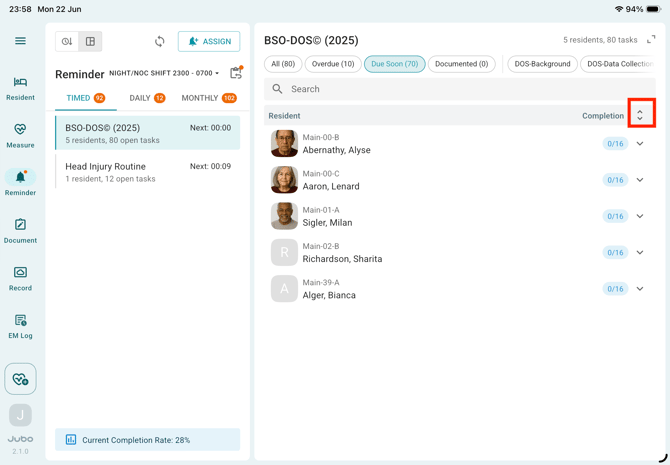
Click the icon ^ to expand or collapse protocol groups to quickly review assigned residents.
- Tap a reminder task to begin documentation.
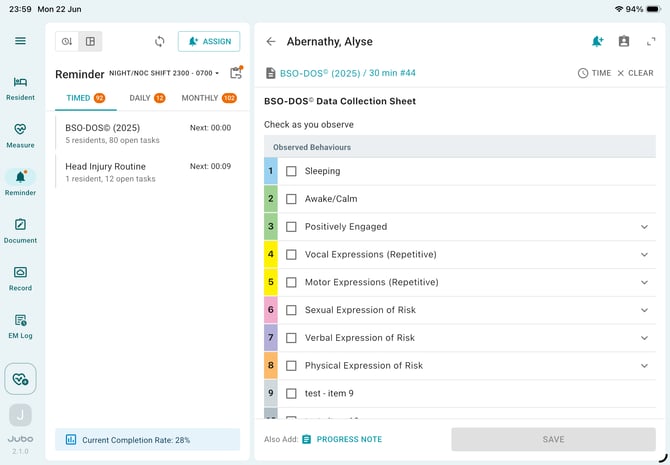
For BSO-DOS assignments, bulk documentation is supported. To document multiple reminder tasks at once, long-press a resident's reminder task to enter multi-select mode.
-
Tap Save to complete the documentation.
II. Review Overdue Tasks from Previous Shifts
-
Tap the Previous Overdue Tasks icon in the top-right corner of the protocol list.
-
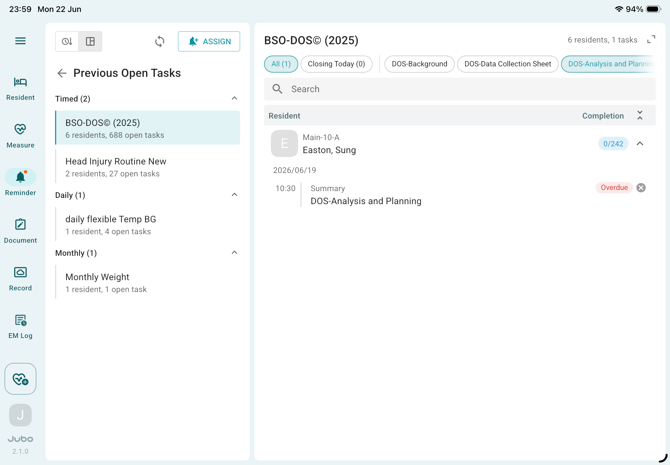
Review outstanding reminders grouped by frequency Timed, Daily, Monthly
-
Use the filters above the task list, such as All or Closing Today, to identify high-priority tasks that require follow-up.
-
For BSO-DOS protocols, Step 1, Step 2 and Step 3 tasks can also be easily filtered.
-
To return to the current shift view, tap Back button in front of the title Previous Open Tasks at the left panel.
Notes
1. When using Protocol-based View, users cannot select a shift that has already ended. To document incomplete tasks from previous shifts, use the Previous Overdue Tasks view.
2. For protocols that include tasks across multiple modules (such as Vital Signs, Blood Sugar, or Weight), each measurement type is displayed as a separate reminder. A link icon appears beside related reminders to indicate that they belong to the same protocol assignment.
3. The selected reminder view - Timeline-based View or Protocol-based View - is saved for each user and remains active across sessions.