
Admin users can manage all the users' accounts, whether PointClickCare (PCC) accounts or Jubo accounts, and their permission in using VitalLink functions.
- For PCC account users, they can sign in to VitalLink with their existing PCC credential directly. Once signing in for the first time, their PCC usernames will appear in the user list, following with a PCC tag.
- For Jubo account users, admin users can create and manage these user accounts through User Management.
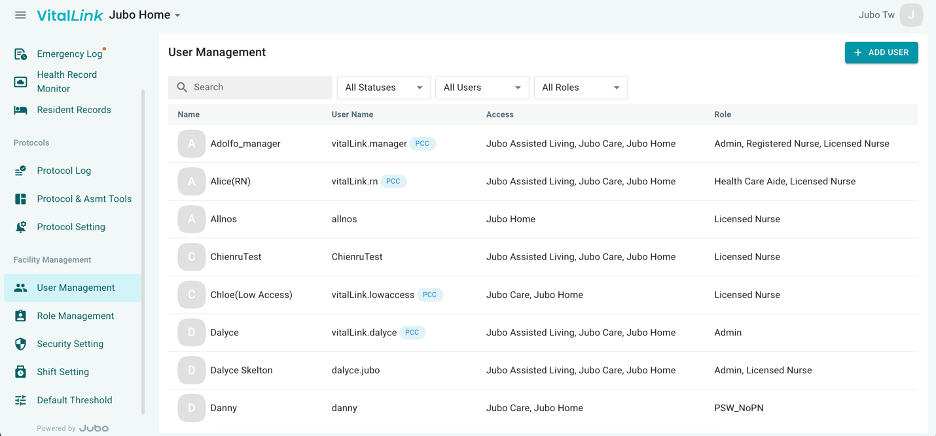
I. Manage Jubo account
- Click on User Management in the left sidebar menu.
- Click +ADD USER to create a Jubo user account.
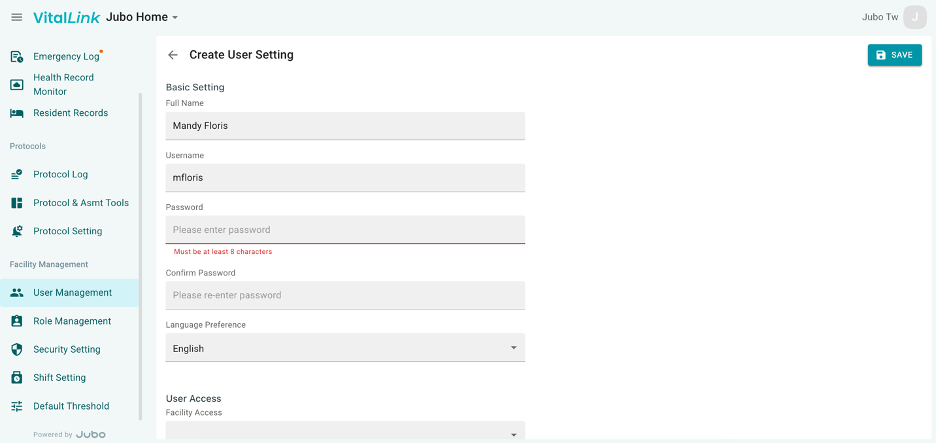
- Edit the name, username, password, language, and facilities/floors/units that user is permitted to access. Also select the role that is assigned to the user to manage the VitalLink functions available to them.
- Click Save to create a new Jubo account.
II. Manage PointClickCare account
PCC account user can sign in to VitalLink with their existing PCC credential. Once signing in for the first time, their PCC usernames will appear in the user list.
Click the PCC user and manage their permission and role assignment in using VitalLink, and whether the measurement or assessment they documented can be automatically upload to PCC.
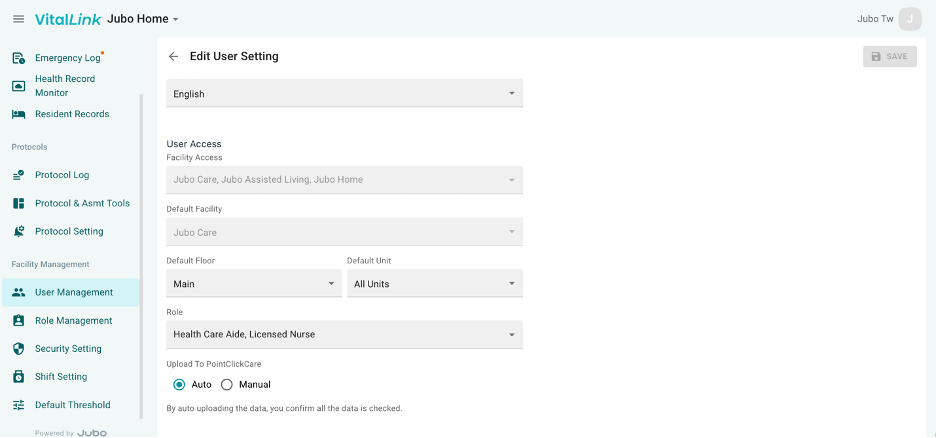
To deactivate a user or activate a previously deactivated user
- Click on User Management in the left sidebar menu.
- Click on the user to edit.
- Under Activation Status, click Yes to activate or No to deactivate the user.
- Click Save.
- Once deactivated a user will still appear on the User list, but will be marked as [Inactivated]
Note
-
PointClickCare (PCC) users must sign in to the VitalLink Web Portal once before being shown on the User list.
-
PointClickCare privileges automatically sync with VitalLink. I.e.
-
if a user is deactivated on PCC, s/he will also lose access to VitalLink.
-
if a user is only allowed to access certain facilities or floors in PCC, s/he be restricted to the visibility of the resident list accordingly.
-
if a user is not allowed to record blood sugar in PCC, s/he will not be able to sync the data to PCC.
-
-
PCC users are default to a Licensed Nurse role.