
I. View Reminders assigned for a Resident in ‘Measure’ menu
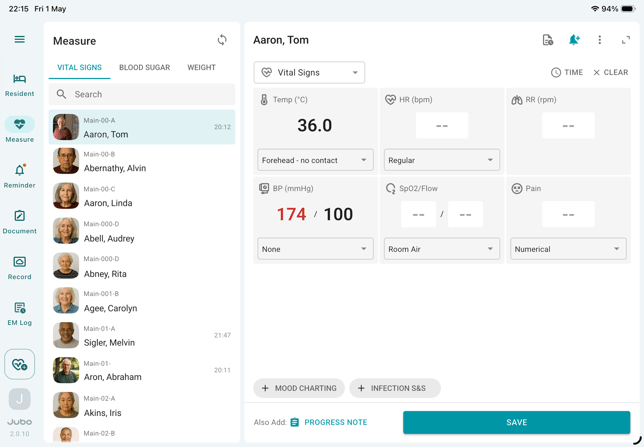
- Tap Measure from the left sidebar menu.
- Select a resident from the list.
- Tap the Protocol Reminder (bell icon) in the top-right corner of the measurement panel.
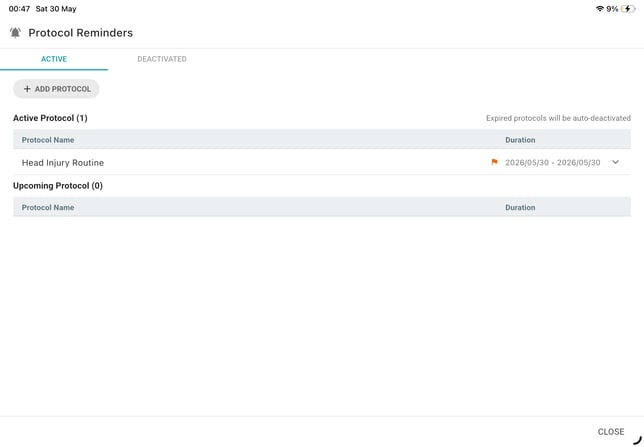
- Select the Active or Deactivated tab to view assigned protocols and their durations.
II. View a protocol assigned to multiple residents in ‘Settings > Protocol Overview’
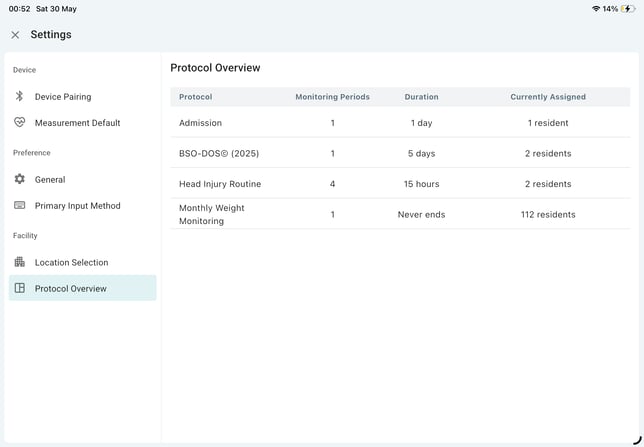
- Tap the hamburger menu icon (☰) from the left sidebar and select Settings.
- Select the Protocol Overview.
- Select a protocol and scroll down to the Assignees section.
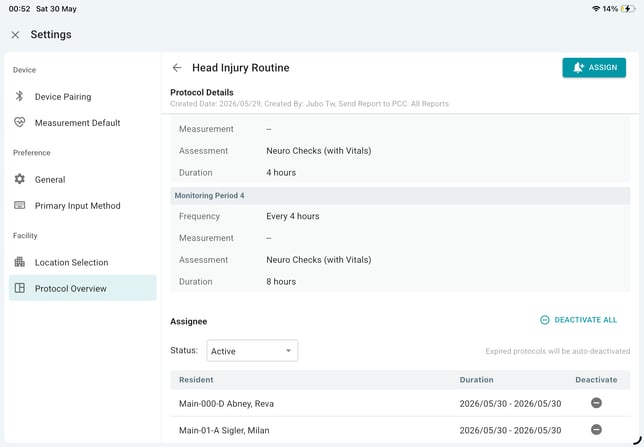
- Use the Active/Deactivated status filter to switch between two assignment lists and view assigned residents and their protocol durations.