![Jubo_Logo_web_200px.png]](https://help.jubohealth.com/hs-fs/hubfs/social-suggested-images/Jubo_Logo_web_200px.png?height=40&name=Jubo_Logo_web_200px.png)
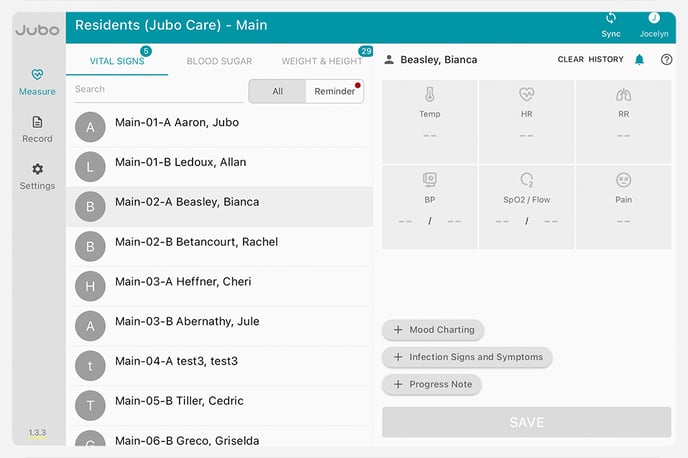
- Click on Measure in left sidebar menu.
- Click on Vital Signs, Blood Sugar, or Weight & Height tab.
- Click on the resident’s name.
- Click on the applicable measurement(s) and scroll to edit and/or adjust the input type.
- Temperature input type can be selected from: Oral, Rectal, Tympanic, Axilla,
- Temporal Artery and Forehead - no contact
- Heart Rate input can be adjusted by: Regular, Irregular – new onset,
Irregular – chronic, Irregular – UTD onset, UTD – Unable to Determine and
Not Applicable - Sp02 input can be adjusted by: Room Air, Oxygen via Nasal Cannula, Oxygen via Mask, Trach, CPAP, BIPAP, High Flow Oxygen and Vent.
- Blood Pressure input can be adjusted by: Standing L-arm, Standing R-arm, Sitting L-arm, Sitting R-arm, Lying L-arm, Lying R-arm and other.
Learn more about setting input methods here.
5. Click Save.
Once successfully saved  will appear.