![Jubo_Logo_web_200px.png]](https://help.jubohealth.com/hs-fs/hubfs/social-suggested-images/Jubo_Logo_web_200px.png?height=40&name=Jubo_Logo_web_200px.png)
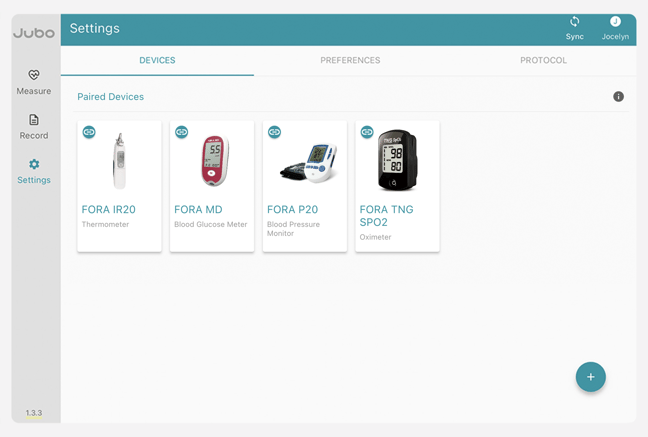
- Click on Settings in left sidebar menu. It will automatically default to the devices tab. Here you will see any paired devices.
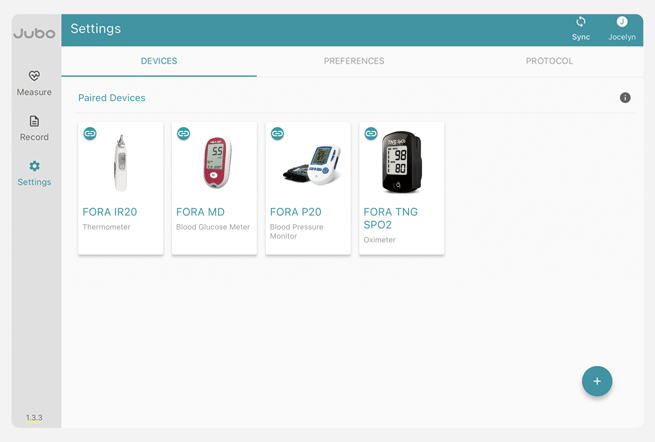
- To pair a device, click the
 button in the right-hand corner.
 - Select the device you want to pair from the list of compatible devices.
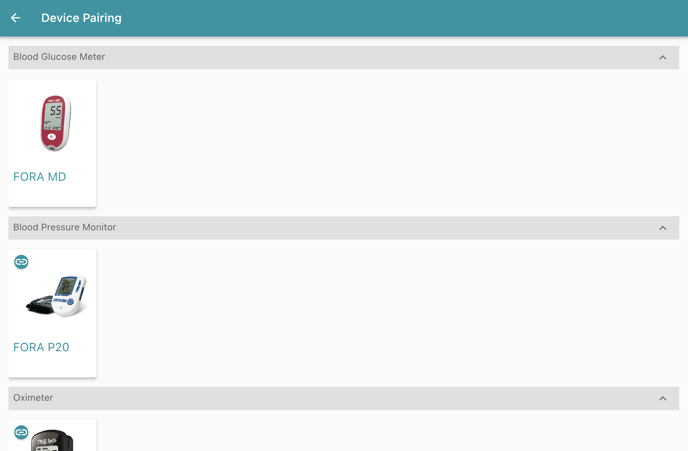 Note: Devices with
  next to them have already been paired
 - Once selected the device will display pairing instructions.
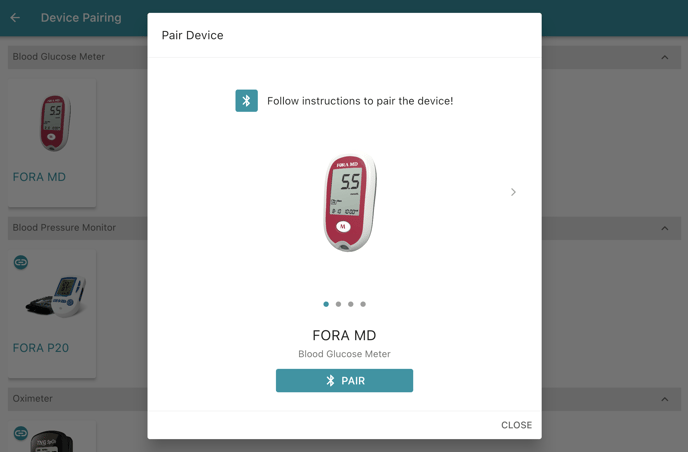
- Take a measurement using the device then click Pair
- Once paired a "Device Paired" screen will appear.
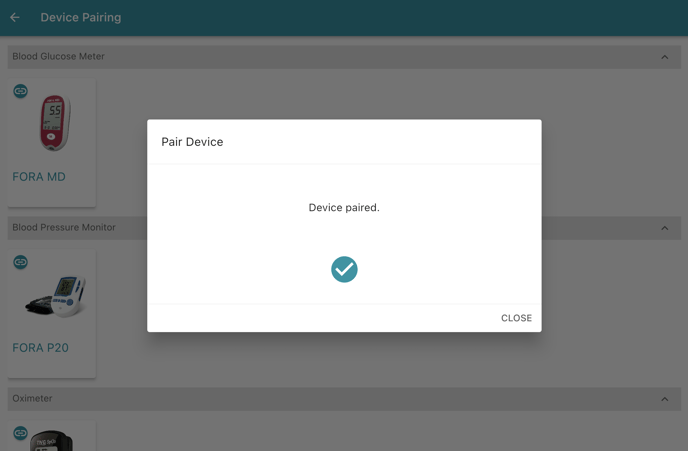
- Repeat steps 2-5 with all devices to be paired.
Once paired the devices tab will automatically update to display your new device.
1:15 - Pair a device